January 5, 2025
How to Install a Protector for Phone Without Bubbles
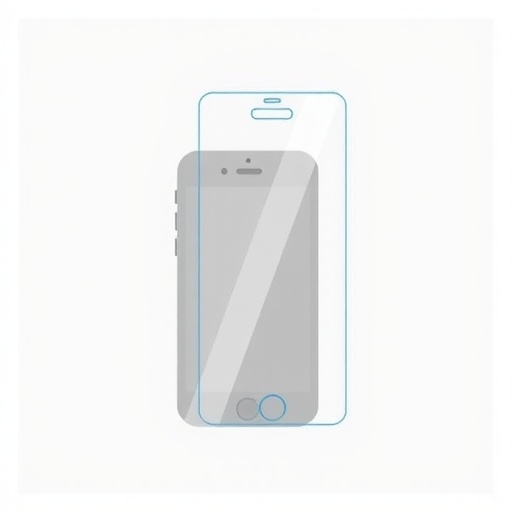
Installing a screen protector seems straightforward, yet many people end up with frustrating bubbles, dust particles, or misalignment. The good news is that with the right technique and preparation, anyone can achieve professional-quality results. This comprehensive guide reveals the secrets used by professionals to install screen protectors perfectly every time.
Whether you're installing a tempered glass protector or a film protector, these techniques will help you avoid common pitfalls and achieve a flawless, bubble-free application. Let's dive into the step-by-step process that guarantees success.
Pre-Installation Preparation
Success begins before you even touch the screen protector. Proper preparation is the foundation of bubble-free installation.
Choose the Right Environment
The environment significantly impacts installation success. Avoid dusty areas, windy outdoor locations, or rooms with fans running. The ideal location is a bathroom after running hot water for a few minutes. The steam settles airborne dust particles, creating an almost dust-free environment.
If using a bathroom isn't practical, choose a clean, still room. Turn off ceiling fans and air conditioning vents during installation. Work on a clean, flat surface with good lighting so you can see dust particles and alignment clearly.
Gather Your Tools
Quality screen protector packages include most necessary tools, but verify you have everything before starting. You'll need an alcohol wipe or cleaning solution, a microfiber cloth, dust removal stickers, and a credit card or squeegee for smoothing.
Some optional but helpful items include scotch tape for dust removal and a guide frame if your protector includes one. Having everything within reach prevents rushing mid-installation when dust could settle on your screen.
Wash Your Hands
This obvious step is often overlooked. Thoroughly wash and dry your hands before handling the screen protector. Natural oils from your fingers can leave residue on the protector's adhesive side or your phone's screen, causing installation problems.
The Cleaning Process
Cleaning is the most critical step. Even microscopic particles create bubbles or texture under your protector.
Initial Cleaning
Start with the alcohol wipe included in your package. Wipe your entire screen in a circular motion, covering every millimeter. Pay special attention to edges where dirt accumulates. The alcohol removes oils, fingerprints, and most debris.
Let the alcohol evaporate completely before proceeding. This usually takes 10-15 seconds. Don't rush this step, as trapped alcohol can cause adhesion problems.
Microfiber Cloth Wipe
Use the provided microfiber cloth to wipe the screen in one direction, from top to bottom. This removes any remaining residue and lint from the alcohol wipe. Microfiber cloths are designed to trap particles rather than spread them around.
Inspect the screen under good lighting, tilting it at different angles. Look for streaks, fingerprints, or particles. If you see any, repeat the alcohol wipe and microfiber cloth steps.
Dust Removal
Even in the cleanest environment, some dust may settle on your screen. Use the dust removal stickers included in your package. Gently dab the sticky side on any visible particles. The sticker lifts dust without leaving residue.
This is your last chance to ensure a perfectly clean surface. Take your time and check thoroughly. A single dust particle will create a permanent bubble under your protector.
Aligning the Screen Protector
Proper alignment prevents having to lift and reapply the protector, which increases bubble risk.
Using Alignment Guides
Many quality screen protectors include alignment frames or guides. These tools are invaluable for first-time installers. Follow the manufacturer's instructions carefully to attach the guide to your phone.
If your protector includes an alignment frame, it will hold the protector in the exact position as you lower it onto the screen. This virtually guarantees perfect alignment on the first try.
Manual Alignment Technique
For protectors without guides, use this professional technique. Peel back just the top portion of the backing, about one inch. Align this exposed section with the top of your phone, using the speaker grille or camera as reference points.
Hold the protector by its sides, keeping it parallel to the screen but not touching. Once you're confident in the alignment, gently lower the exposed portion onto the screen. The adhesive will grab the screen, preventing the protector from sliding.
The Hinge Method
Another professional technique is the hinge method. Place a piece of tape along one edge of the screen protector before removing the backing. This creates a hinge that lets you flip the protector down onto the screen with perfect alignment.
With the hinge in place, remove the backing and carefully lower the protector onto the screen. The hinge ensures the protector stays aligned as it makes contact with the screen.
Applying the Protector
Once aligned, the application process requires patience and proper technique.
Let Gravity Work
For tempered glass protectors, let the protector apply itself. Once the top edge makes contact with the screen, the adhesive will spread naturally across the screen. You'll see this happening as the protector bonds to the glass.
Avoid pressing down during this initial bonding phase. Tempered glass protectors are designed to self-adhere, and pressing can trap air or cause misalignment.
For Film Protectors
Film protectors require more active application. Once aligned, use a credit card or the provided squeegee to press the protector onto the screen. Start from the center and work outward in smooth, firm strokes.
This technique pushes air bubbles toward the edges where they can escape. Use consistent pressure and overlapping strokes to ensure complete adhesion.
Dealing with Bubbles
Small air bubbles are normal and usually disappear within 24-48 hours as the adhesive fully cures. However, larger bubbles need immediate attention. Use your card or squeegee to push bubbles toward the nearest edge.
For stubborn bubbles, try pressing firmly on the center of the bubble and pushing outward. If a bubble won't move, it likely contains a dust particle. You may need to carefully lift that section of the protector and remove the particle with a dust sticker.
Troubleshooting Common Problems
Even with perfect technique, issues can arise. Here's how to address them.
Dust Under the Protector
If you notice dust after application, you'll need to lift the protector. Use tape on a corner to gently lift the protector. Avoid touching the adhesive side with your fingers. Remove the dust particle with a dust removal sticker, then carefully reapply the protector.
Work quickly but carefully to prevent additional dust from settling on the exposed screen or adhesive.
Misalignment
If your protector is noticeably misaligned, remove and reapply it immediately. The longer you wait, the stronger the adhesive bonds, making removal more difficult. Tempered glass protectors can usually be reapplied once or twice without losing adhesion.
Film protectors are less forgiving with multiple applications, as the adhesive weakens each time. This is why careful initial alignment is crucial for film protectors.
Edge Lifting
If the edges of your protector lift, it's usually due to screen curvature or case interference. For curved screens, this is somewhat normal with flat screen protectors. For flat screens, ensure your phone case isn't pushing against the protector edges.
Some cases require you to apply the screen protector before installing the case. Others work better if installed afterward. Check manufacturer recommendations for your specific combination.
Post-Installation Care
Your work isn't quite finished once the protector is applied.
Allow Curing Time
Avoid using your phone intensively for the first 24 hours after installation. The adhesive needs time to fully cure and bond with the screen. Small bubbles often disappear during this curing period.
Don't install your phone case immediately if edges seem slightly lifted. Give the protector time to settle, then add the case after a few hours.
Test Functionality
After installation, test your phone's touch sensitivity, face recognition, and fingerprint scanner if applicable. Quality protectors shouldn't interfere with these features. If you experience issues, ensure the protector is fully adhered and no bubbles exist in critical areas.
Professional Tips and Tricks
These insider secrets separate amateur from professional installations.
Use a bright flashlight or phone light to inspect the screen for dust before application. Angling the light reveals particles you might miss in normal lighting.
If you're nervous about alignment, practice the motion without removing the backing first. This builds muscle memory and confidence.
For maximum dust-free environment, install your protector in the bathroom immediately after someone has showered. The steam creates optimal conditions.
Consider using guide stickers even if your protector doesn't include them. Place small pieces of tape on the phone body as alignment markers.
Conclusion
Installing a protector for phone without bubbles is entirely achievable with proper technique and patience. The keys are thorough cleaning, careful alignment, and allowing the protector to adhere naturally. By following this guide, you can achieve professional-quality results from home and protect your valuable device with confidence.
Remember, even professionals occasionally need multiple attempts. Don't get discouraged if your first try isn't perfect. With practice, the process becomes second nature, and you'll be able to install protectors for friends and family with consistent success.